Job cards
Job card software for workshops, from check-in to delivery
Replace the job card book with one screen per vehicle. Record what came in, what the customer asked for, who is working on it and where it stands. Everyone sees the same, up-to-date job.
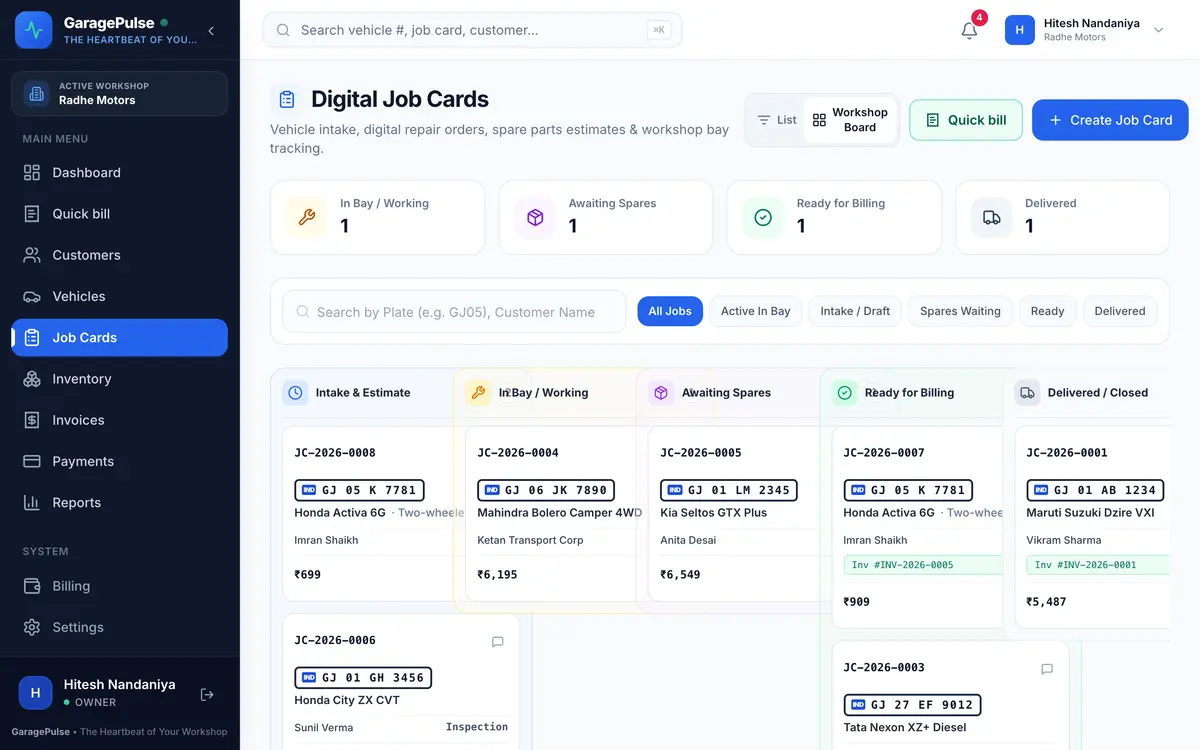
At a glance
- Proper check-in
- Odometer reading, fuel level, complaints and intake notes, recorded in one form.
- Assign a mechanic
- Pick the mechanic and bay. Mechanics see only the jobs assigned to them.
- 8 job stages
- From pending estimate to delivered, shown on a workshop board you can filter.
- Printable job sheet
- Print a clean job sheet for the bay or the customer, with an inspection checklist.
- Advance payment
- Record the advance at check-in. It is adjusted automatically on the final invoice.
- Delivery safeguard
- A vehicle can’t be marked delivered until its tax invoice is made.
Check-in
Check the vehicle in properly, every time
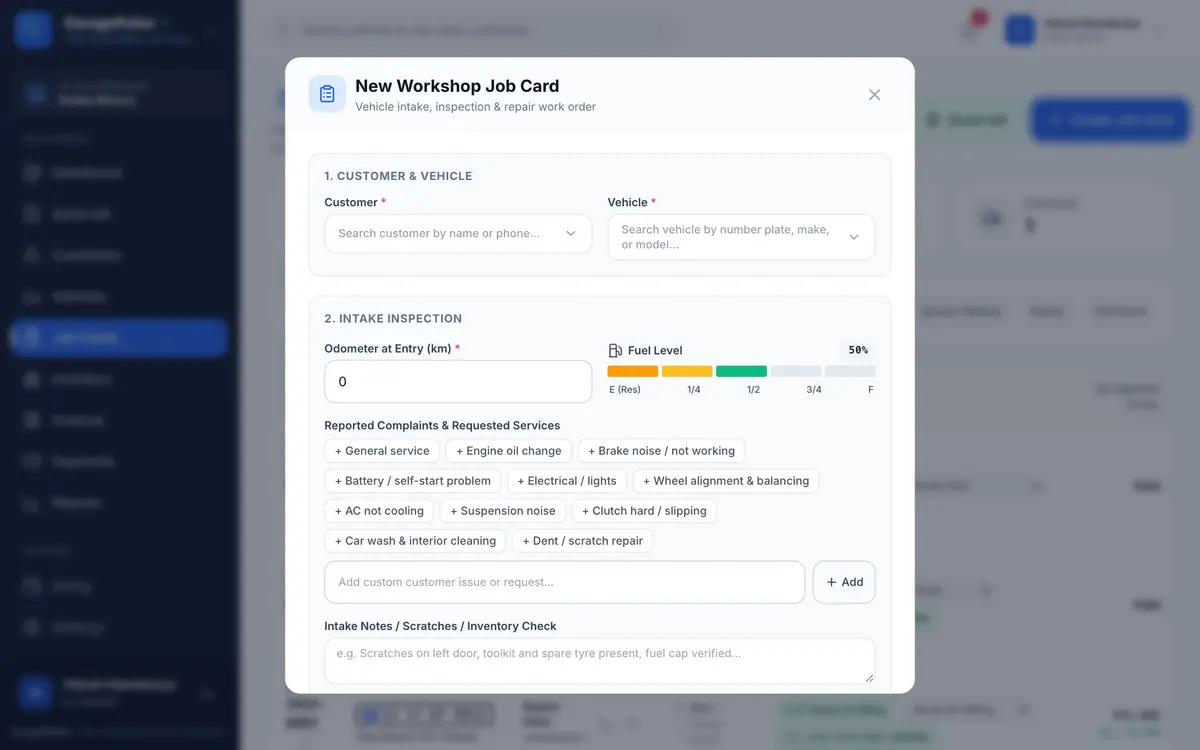
Search the customer by name or phone and pick the vehicle by number plate. Note the odometer and set the fuel level on a gauge. Add complaints with one tap from common ones (service, brakes, AC, clutch, battery…) or type your own.
- Intake notes for scratches, dents, toolkit and spare wheel
- Complaint quick picks follow the vehicle: bike items for two-wheelers, car items for cars
- The customer and vehicle are saved for their next visit
Workshop board
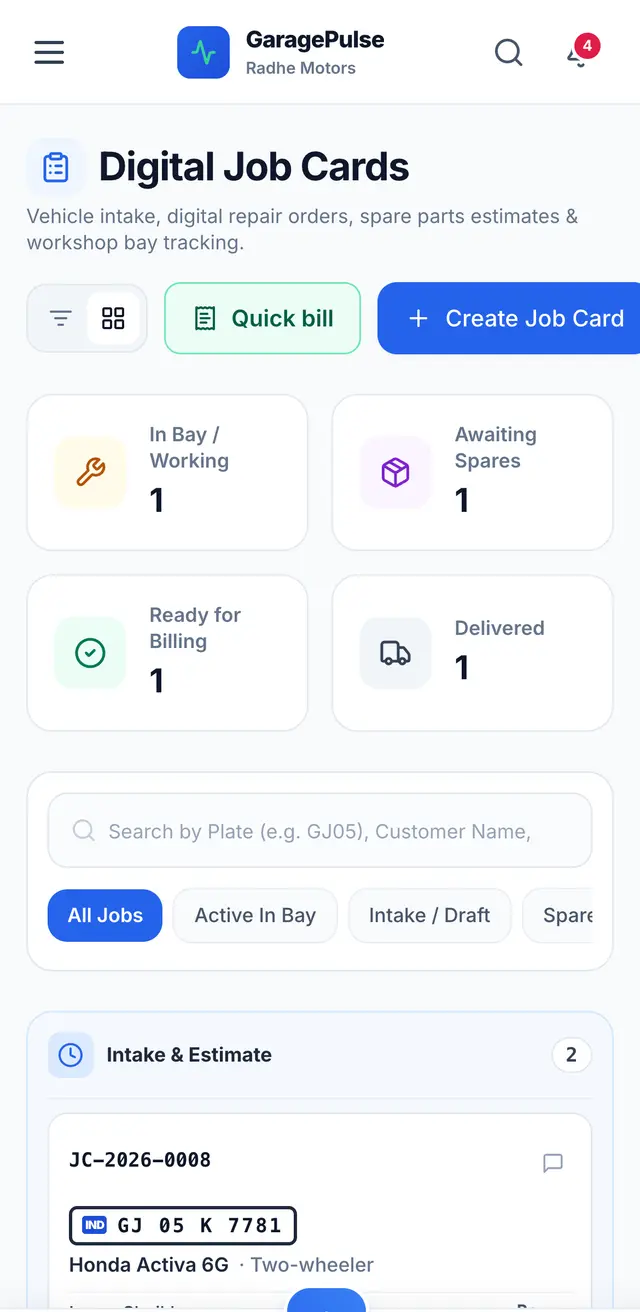
See where every vehicle stands
Each job moves through clear stages: pending estimate, estimated, approved, in progress, waiting for parts, work completed, invoiced and delivered. The workshop board groups them into columns, so you know at a glance what is in the bay, what is waiting for parts and what is ready for billing.
- Search by number plate, customer or job card number
- Filters for active, waiting for parts, ready and delivered
- Job card numbers in order (JC-2026-0001…)
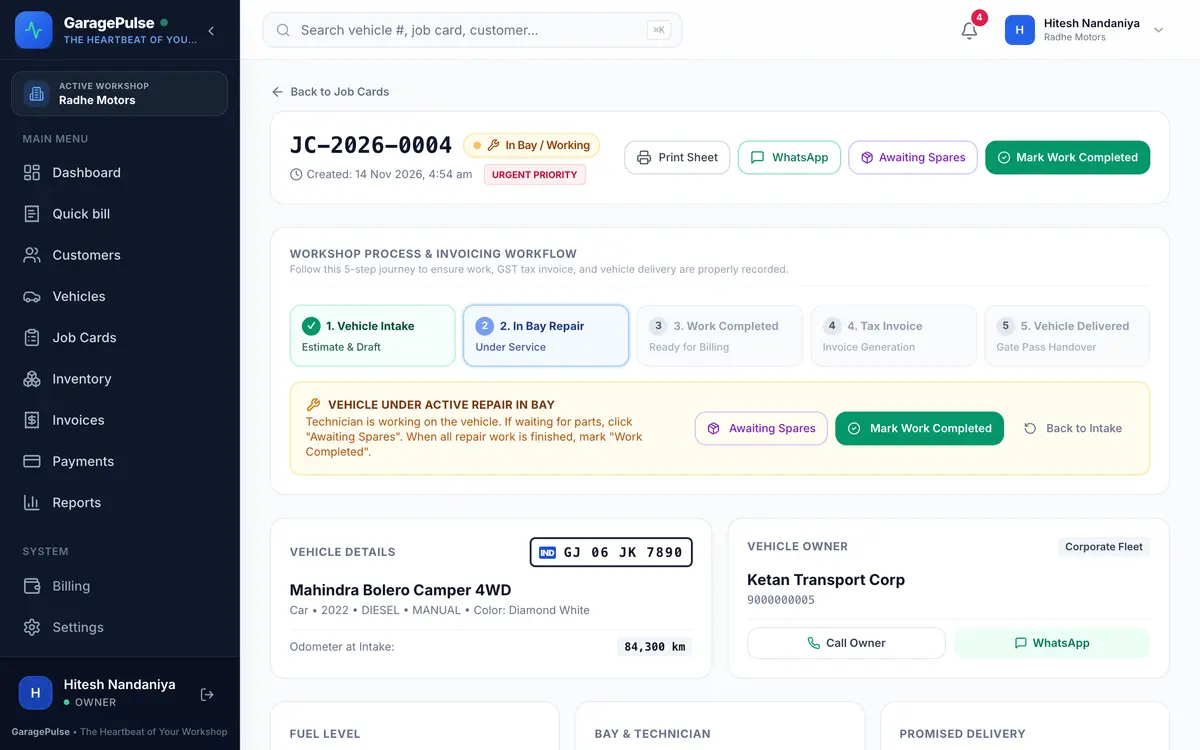
- Current stage
- Mark “waiting for parts”
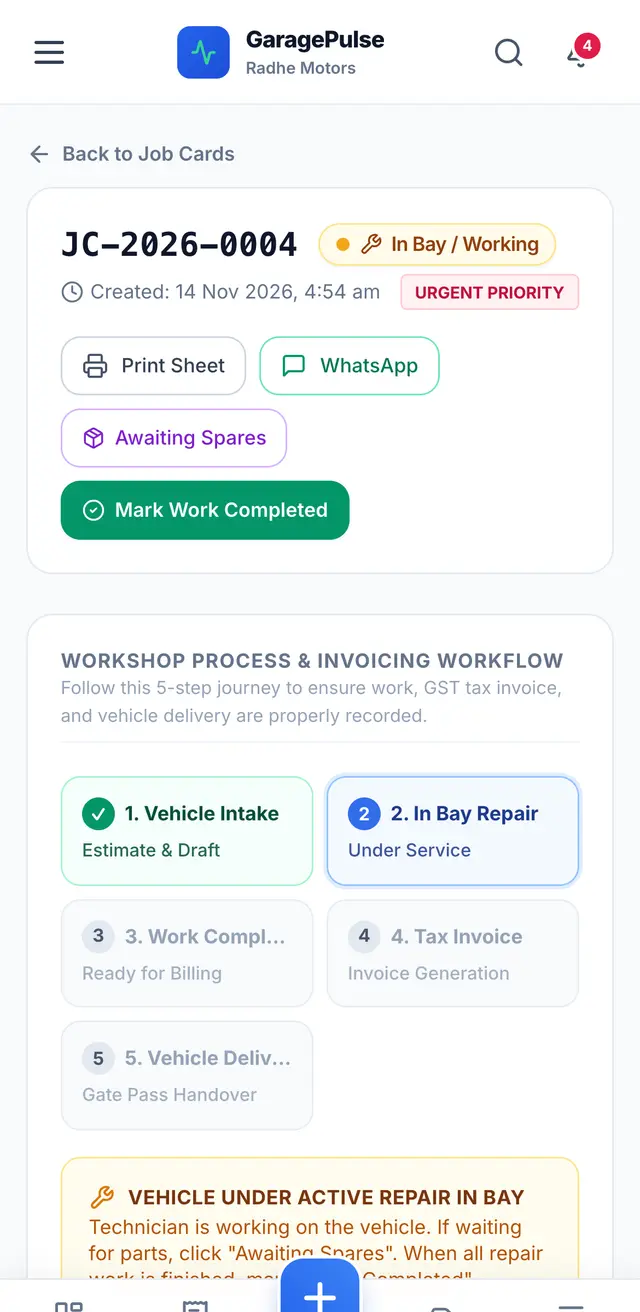
- Five steps to delivery
- Number plate
Mechanics
Mechanics update their own jobs from their phone
A mechanic logs in and sees only the vehicles assigned to them. They mark work as started, waiting for parts or completed, and can request parts. They can’t make invoices, deliver vehicles or see any amounts.
- Front desk and owner see the update straight away
- Parts requested by a mechanic arrive unpriced, for the front desk to price
- No bill amounts, payments or reports on a mechanic’s screen
Job sheet & delivery
Job sheet, advance and a safe handover
Print the job sheet for the bay, take an advance if the job is big, and turn the finished job card into a GST invoice with one tap. GaragePulse won’t let anyone mark a vehicle as delivered before its invoice exists, so no vehicle leaves without a bill.
- Add a fixed-price service package (general service, oil change…) in one tap
- Advance shown on the job card and taken off the invoice
- Send a job status update to the customer on WhatsApp
Try job cards on tomorrow’s jobs
Every feature free for 14 days. No card, no installation — set up on your phone today.