How it works
From check‑in to delivery, one simple flow
GaragePulse follows the way your workshop already runs. Every vehicle moves through the same six steps — on your phone or the counter computer.
One job, six steps
- 1Check-inNumber plate, owner and complaint
- 2Job cardEstimate, bay and mechanic
- 3Work & partsLabour and parts taken from stock
- 4InvoiceGST bill made from the job card
- 5PaymentCash, UPI or card — or part now, rest later
- 6DeliveryBill on WhatsApp, keys handed over
Step by step
See each step on the real screen
Step 1 of 6
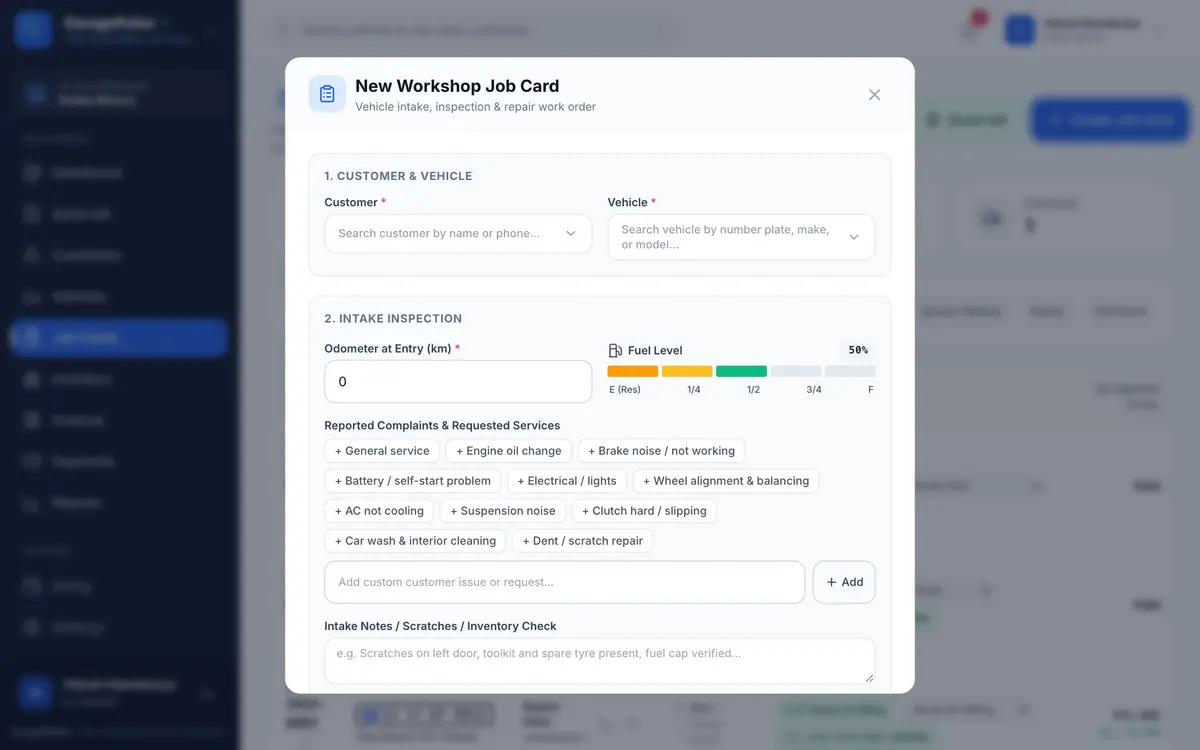
The vehicle comes in
Type the customer’s phone or the number plate. Their old record opens. Note the km reading, fuel level and what they’re complaining about — “brake noise, AC not cooling”.
- Common complaints in one tap
- Scratches and dents noted before work starts
- Take an advance on big jobs
Step 2 of 6
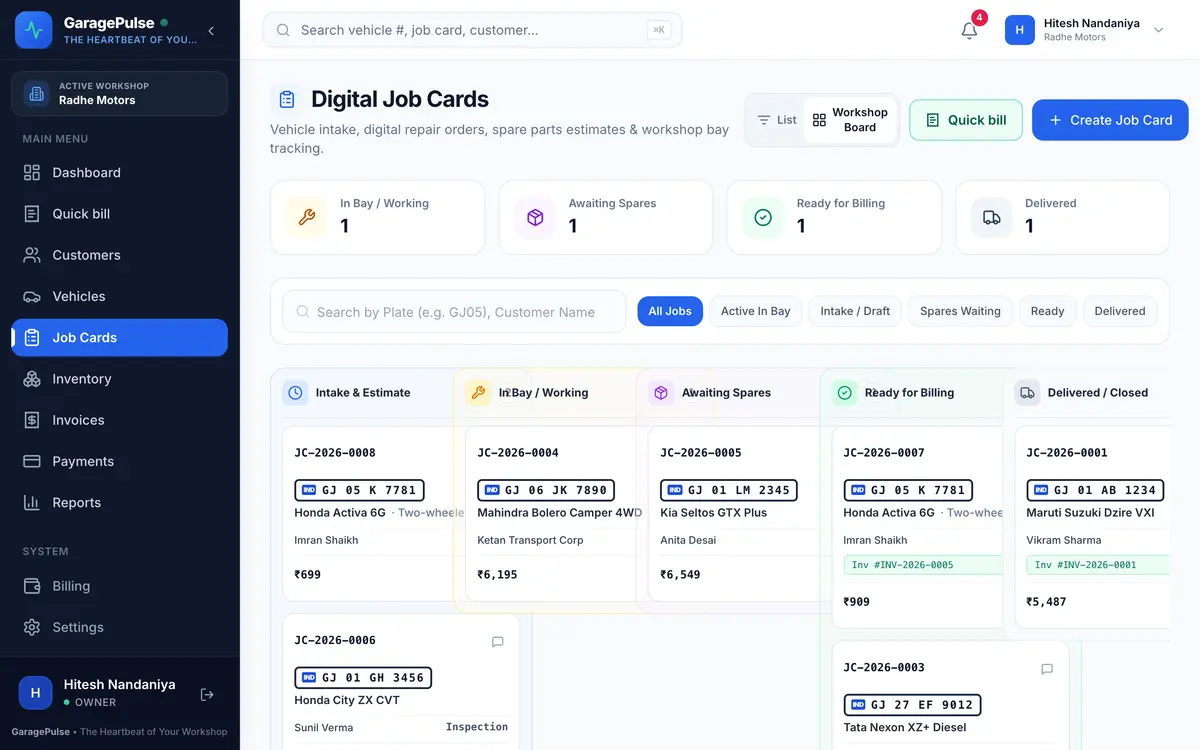
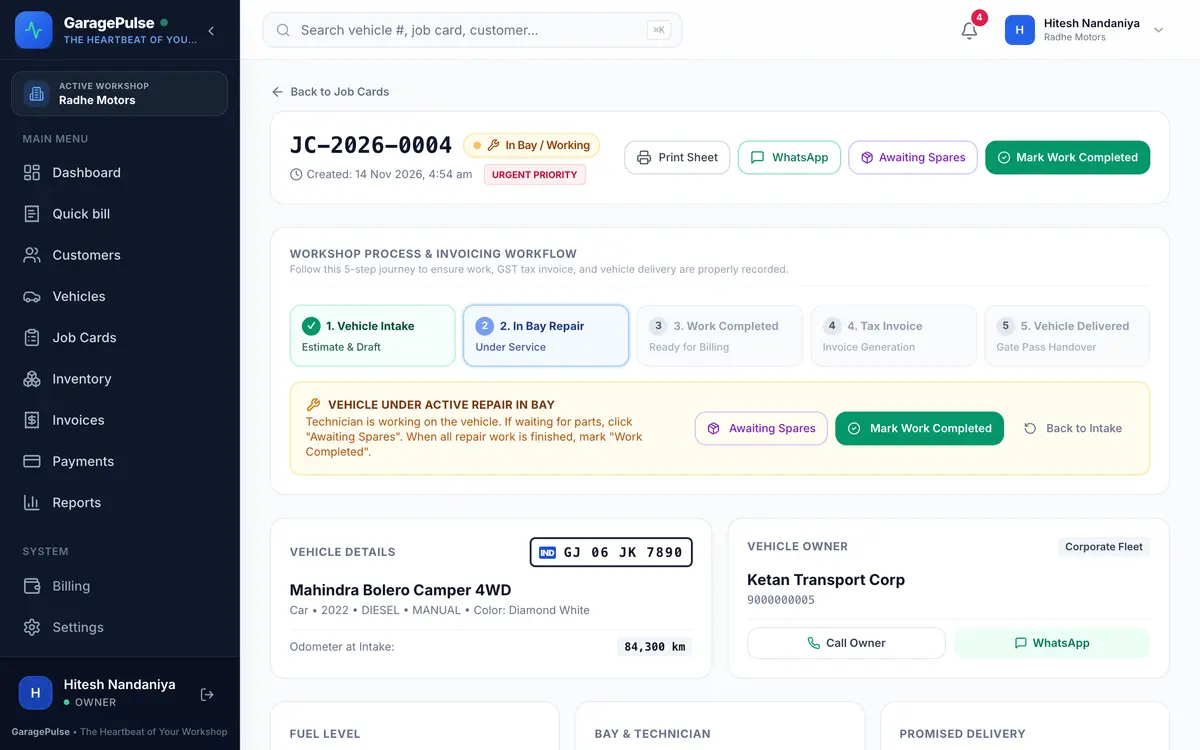
Give it to a mechanic
Pick the mechanic and the bay. The job sits on the workshop board, so anyone can see what’s in the bay, what’s waiting for parts and what’s ready.
- Mechanics update their own jobs from their phone
- Mechanics never see prices or bills
Step 3 of 6
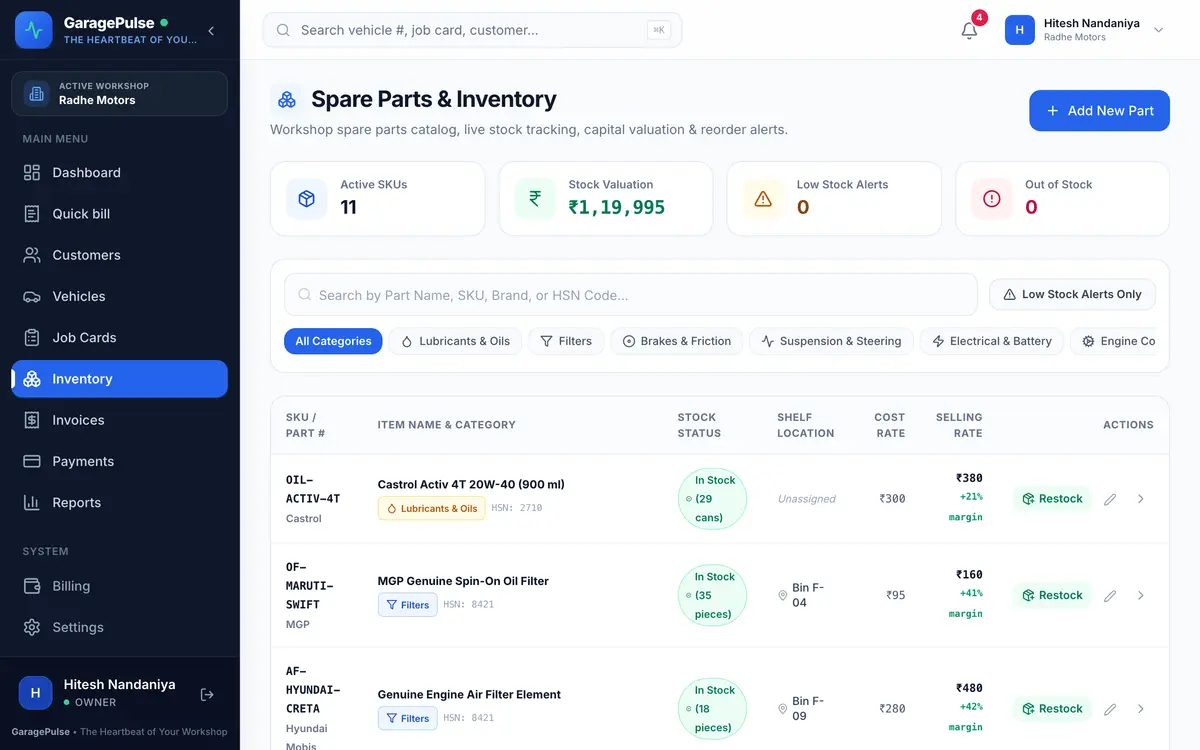
Add labour and parts
Add the labour and pick parts from your stock — brake pads, engine oil, a filter. Price, GST rate and HSN come with the part, and stock goes down when you bill.
- Warning before you bill more than you have
- Low-stock list tells you what to reorder
Step 4 of 6
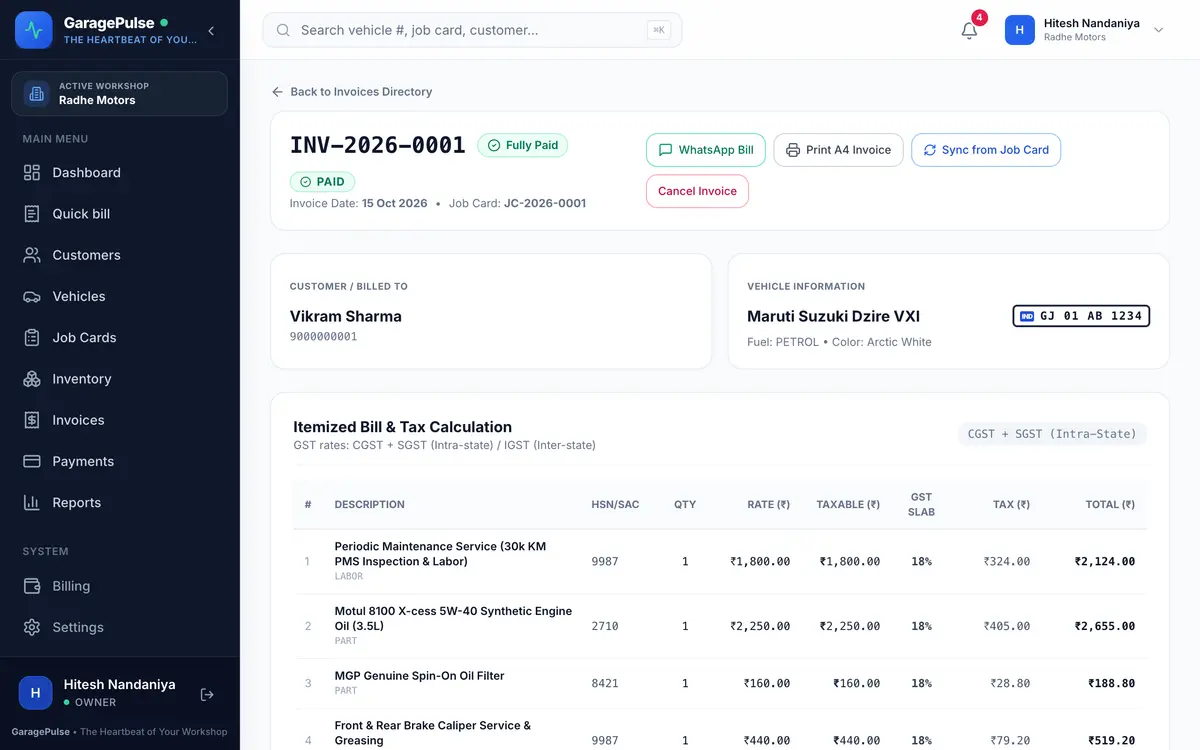
Make the GST bill
One tap turns the job card into a tax invoice: CGST + SGST or IGST, HSN/SAC on every line, round-off shown, your UPI QR printed for the exact amount.
- Not GST-registered? You get a simple bill
- Invoice numbers never skip or repeat
Step 5 of 6
Collect the money
Cash, UPI, card or cheque — in full or in parts. Send the bill on WhatsApp from your own number. Whatever is left shows up as udhaar against the customer.
- Receipt for every payment
- Cash goes into the day’s gulak total
TAX INVOICE - RADHE MOTORS
Invoice No: INV-2026-0001
Date: 15 Oct 2026
Customer: Vikram Sharma
Vehicle: Maruti Suzuki Dzire VXI (GJ 01 AB 1234)
Bill Breakdown:
• Labor Charges: ₹2,240.00
• Spare Parts: ₹2,410.00
• GST Tax: ₹837.00
Grand Total: ₹5,487.00
• Paid Amount: ₹5,487.00
Balance Due: ₹0.00
Status: ✅ FULLY PAID
Thank you for entrusting your vehicle to Radhe Motors!
For inquiries or support, call us at 90000 00000.
10:42 ✓✓
Step 6 of 6
Hand over the keys
Mark it delivered. GaragePulse won’t allow that before the bill exists, so no car or bike leaves without one. The full history is waiting for the next visit.
- Reports update by themselves
- Next visit starts from the old record
Getting started
Running on GaragePulse the same day
Prefer a guided start? Book a free demo and we’ll set it up with you.
- 1
Sign up from your phone
No cardName, mobile, email, garage name and city. Confirm your email and the free trial starts.
- 2
Add your garage details
Printed on every billAddress, GSTIN if you have one, UPI ID and the terms you print on bills.
- 3
Check in the next vehicle
Your first job cardWhoever walks in next becomes your first job card. Customer and vehicle are saved for their next visit.
- 4
Give your team their logins
When you’re readyFront desk and mechanics each get their own login and role from Settings.
Try it on tomorrow’s jobs
Every feature free for 14 days. No card, no installation — set up on your phone today.